Use Gomo referral code G52Z7R when signing up to get a $3 Grab voucher — no minimum spend, no membership fees, just enter it during registration.
My Gomo referral code, G52Z7R — enter this at the promo/referral code step during sign-up.
Why Gomo (And Why Maybe Not)
Before you use this code, it’s worth knowing honestly where Gomo does and doesn’t fit.
Why Gomo:
- Runs on Singtel’s network, which in my experience has been the most consistently reliable coverage wherever I go
- I first signed up with Gomo back in 2019, and while I’ve gone on and off other providers since, I’ve always ended up back on Gomo — network coverage is what keeps pulling me back
- No contract, so you can leave anytime without penalty
- A dedicated $6/month Senior Plan for those 60 and above — a genuinely rare price point for the data it includes
Why maybe not Gomo:
- It’s a pure digital MVNO — no shops, no phone hotline, support is entirely through in-app or web chat
- If something goes wrong, resolving it can take a while entirely through chat, with holds and waiting — I experienced this firsthand terminating a line
- Not the cheapest plan on the market — you’re paying a bit of a premium for the Singtel network and brand reliability compared to some other MVNOs
- Doesn’t support transfer of ownership on port-in — if you’re porting a number for someone else and the NRIC doesn’t match theirs, the port gets rejected
If the pros outweigh the cons for your situation, here’s how to actually use the code.
Which Gomo Plan Should You Pick?
Gomo’s plan lineup is actually quite clearly targeted once you look at it — each plan is built for a fairly specific type of user:
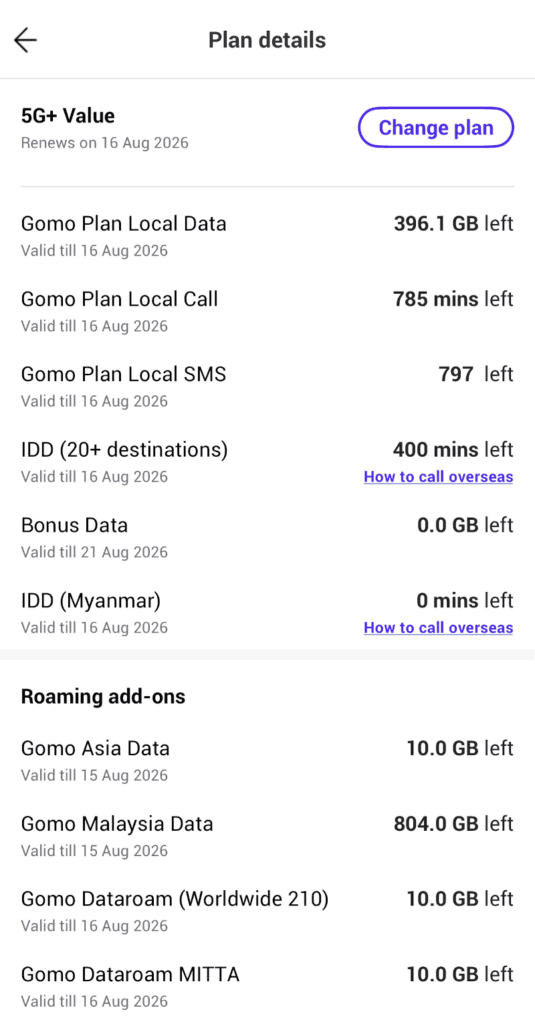
- 5G+ Value — the most basic plan, best network coverage. 400GB is genuinely plentiful for a non-power user; realistically what most people would use in a year, not a month.
- 5G+ Core — almost double the local data allowance of 5G+ Value, for about $2 more a month.
- 5G+ Asia Infinity — for power users and frequent regional travellers.
- 5G+ Global Infinity — for power users and frequent globetrotters/frequent flyers.
- 5G+ Senior — for the basic senior user.
- 5G+ Unlimited Senior — for the senior power user.
- 5G+ Student & NS — a trimmed-down version of 5G+ Value for ages 16-24: young, basic users who still want the best network coverage.
- 5G+ Unlimited Student & NS — same target audience, unlimited data.
Picking between them is fairly straightforward once you know two things: whether reliable, strong network coverage at a good value price point matters to you (if yes, Gomo makes sense in general), and which of the above categories you actually fall into.
- 5G+ Value suits the vast majority of people.
- 5G+ Senior for seniors with basic needs.
- 5G+ Student & NS for ages 16-24.
- Power users should go for one of the Unlimited/Infinity plans — but track your actual usage first. Paying for unlimited data you don’t need is just money wasted.
If you’re still weighing Gomo against other MVNOs entirely — not just picking between Gomo’s own plans — my best value mobile plan roundup covers how Gomo stacks up against eight other providers. And if you’re signing up an elderly parent specifically, I’ve written in detail about my experience moving my mum onto Gomo’s Senior Plan, including a porting mistake worth avoiding.
How Gomo’s Referral Program Works
Gomo runs a two-way referral system:
- You (the new user) enter a referral code when signing up and get a $3 Grab voucher.
- The referrer gets a $5 Grab voucher, but only once you’ve completed your sign-up.
Like most genuine referral programs, it’s a two-way reward, not just a one-sided sign-up bonus — so using someone’s Gomo referral code actually helps them out too, at no extra cost to you.
How to Redeem a Gomo Referral Code
- Head to gomo.sg (or the Gomo app) and start your sign-up.
- Choose your number — either keep an existing number (port-in) or get a new one.
- Choose your SIM type — physical SIM or eSIM.
- Choose a device, or continue without one.
- Retrieve your MyInfo via Singpass and confirm your details.
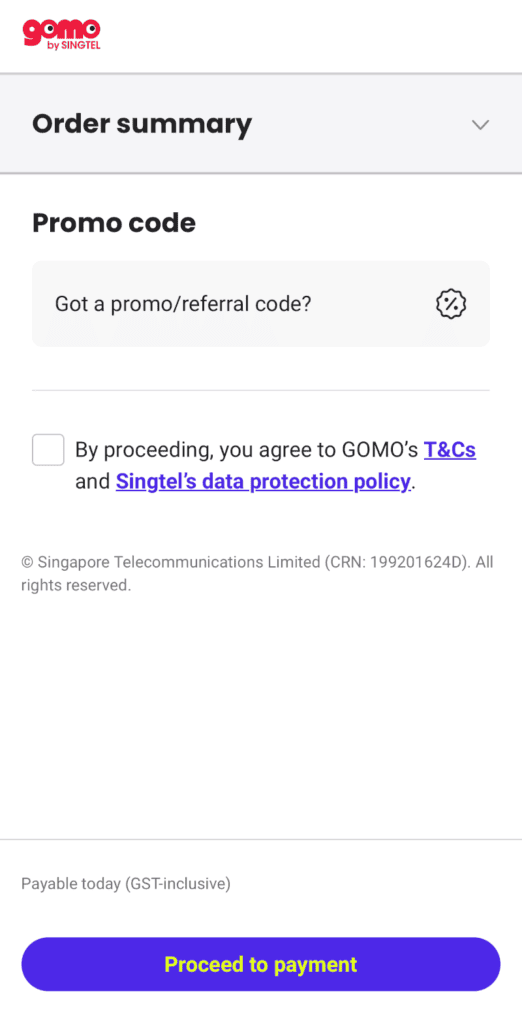
- The promo/referral code field appears at this point — enter G52Z7R.
- Complete checkout as normal. The $3 Grab voucher will be credited after your sign-up is confirmed.
Quick Checklist: Are You Ready to Sign Up for Gomo?
Before you start, make sure you’ve got these sorted:
- A Singpass account, since Gomo’s sign-up flow retrieves your details via MyInfo
- Your NRIC/FIN, with your number (if porting in) already registered under your own name — Gomo doesn’t support transfer of ownership on port-in, so a mismatch here will get your port rejected
- A valid payment method for your monthly bill
- Your existing number’s account details, if you’re porting in, so you can confirm it’s active with no outstanding payments
- A rough idea of your data needs, so you’re not paying for more than you’ll use — Gomo’s plans range from the $6/month Senior Plan (60 and above) up to higher-tier 5G+ plans
Get these sorted first, and your sign-up should go smoothly from start to finish.
What to Expect After Redeeming the Code
Once your sign-up is confirmed, there are two ways to know your $3 Grab voucher has come through:
- Check your email. Gomo sends a confirmation email once the referral is validated, letting you know the Grab voucher has been credited.
- Check the Gomo app directly. Navigate to “Me” at the bottom right of the app, scroll down to “Refer a Friend” under Rewards & Promotions, then tap on your rewards under “Total Earnings.”
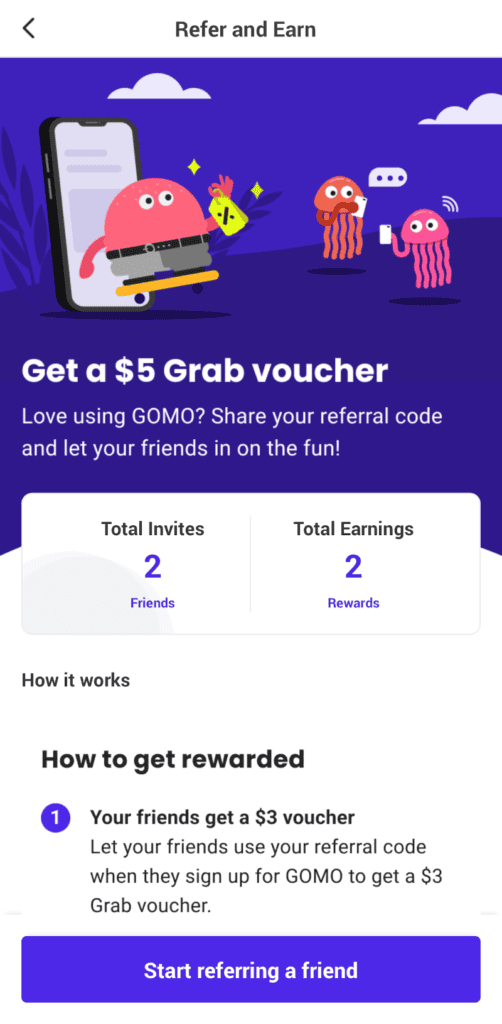
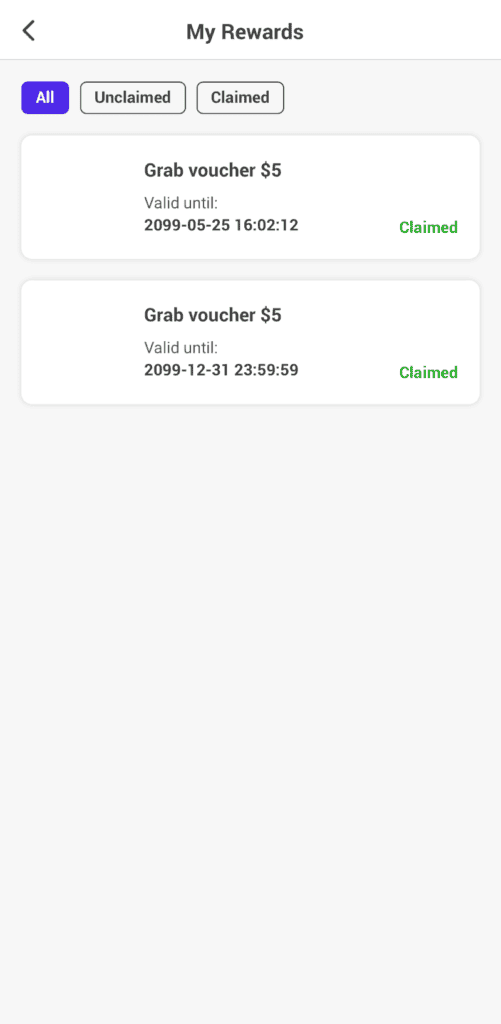
If you don’t see either after a reasonable wait, it’s worth reaching out to Gomo support via chat to confirm the referral was applied correctly — since only one code can be used per sign-up, it’s worth double-checking it went through if you don’t hear anything.
Frequently Asked Questions
Can I use more than one referral code? No — only one referral code can be applied per new sign-up, during registration.
Can I stack a referral code with other promo codes? No. Referral and other promo codes can’t be combined.
Does it matter whose referral code I use? Not for your own $3 Grab voucher — any valid Gomo referral code gets you the same reward. The only difference is who receives the $5 referrer credit, so you might as well use one from someone whose content actually helped you decide to sign up.
Is there a minimum spend to use the code? No minimum spend is required to redeem the $3 Grab voucher.
Is there a membership fee to join Gomo? No. Gomo is a no-contract, SIM-only telco — you pay your monthly plan fee and nothing else.
Does the referral code work on any Gomo plan? Yes — it isn’t tied to a specific plan. Whether you sign up for the 5G+ Value plan, the Senior Plan, or any other Gomo plan, the referral code applies the same way.
How long does it take to receive the Grab voucher? The $3 Grab voucher is typically credited shortly after your sign-up is confirmed. If you’re porting in an existing number, this may take slightly longer since porting itself can take 1-3 working days.
Can I use a Gomo referral code if I’m porting a number for a family member? Yes, but make sure the number is registered under the family member’s own NRIC before you start — not yours. If the names don’t match, the port will be rejected regardless of the referral code. I go through exactly what happens if this trips you up in my Gomo Senior Plan porting experience.
Disclosure: I earn a referral credit when you sign up using code G52Z7R. One rule I stick to: I only recommend products and services I actually use myself — referral reward or not. Looking for more? I keep all my active referral codes across telcos, apps, and services in one place: Referral Codes Singapore.