Disclosure: I bought these switches with my own money — this post isn’t sponsored by Sonoff or anyone else. It contains affiliate links to Lazada listings for the switches, hubs and button mentioned. If you buy through them, I may earn a small commission at no extra cost to you.
“I wish I could switch off the lights from bed.”
That’s a piece of feedback the missus has been giving me for, oh, about a decade. You know the drill. You’re tucked in, phone on charge, and then you realise the toilet light is still on. Someone has to get up. Usually me.
This Sonoff SwitchMan review is about how I finally fixed that, for less than the cost of a decent dinner.
Why I Got This
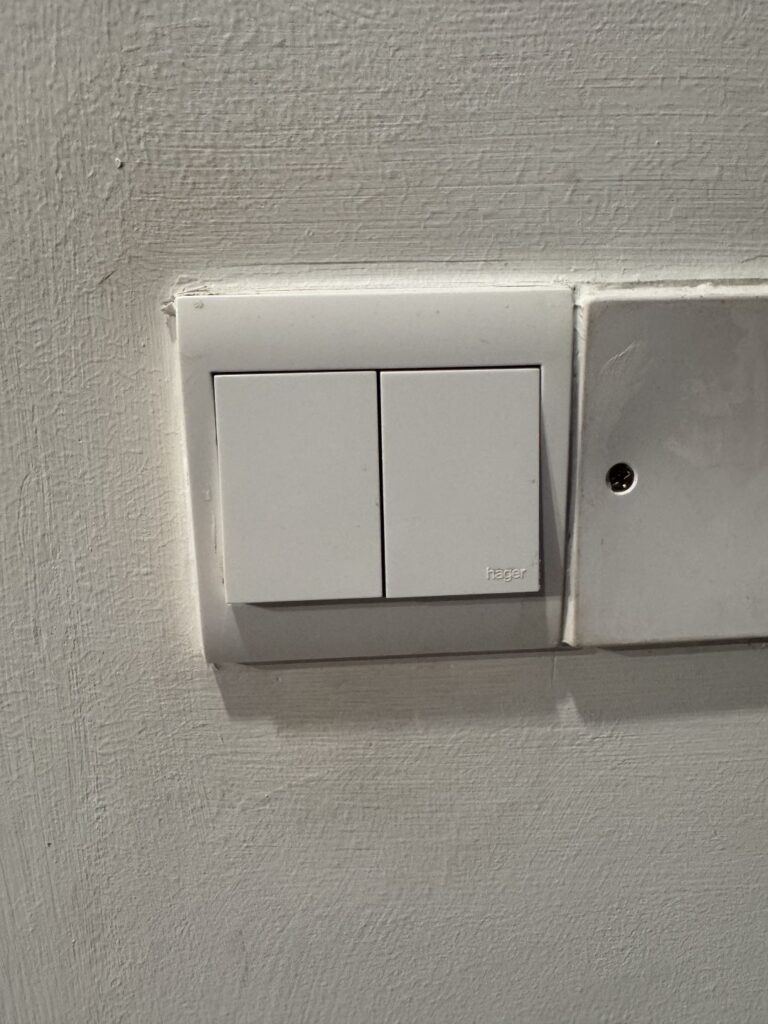
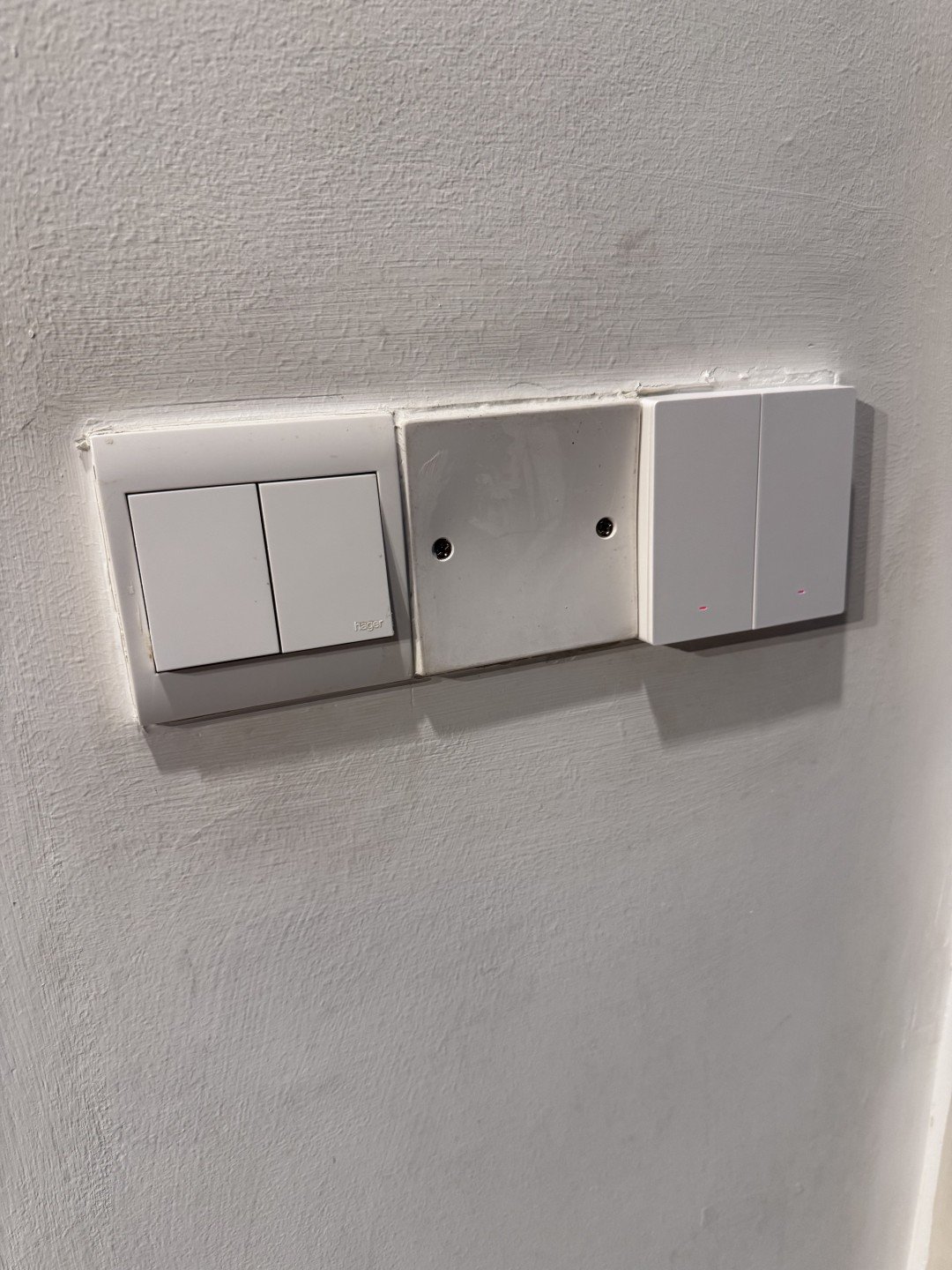
When we renovated about ten years ago, a bedside switch just wasn’t on the list. Adding one after the fact is a pain. You need a contractor and/or an electrician to run new cables to a 2 or 4 gang switch beside the bed. Since the walls are already done, that means ugly cable trunking running all around the room. Plus the not-insignificant bill that comes with it.
Smart wall switches change the maths completely. You replace the existing switch at the door with a smart one, then pair a wireless button and stick it wherever you like. Bedside table, headboard, wherever. No new cable runs. The button talks to the switch wirelessly, and you can also control everything from your phone.
The final nudge was the 11.11 sale. I spotted a good deal on the Sonoff SwitchMan on Lazada and pulled the trigger.
What This Powers
I bought two:
- Master bedroom: a single downlight on one gang, and a track light with five GU10 bulbs on the other
- Master bedroom toilet: a ceiling LED light on one gang, and an LED strip on the other
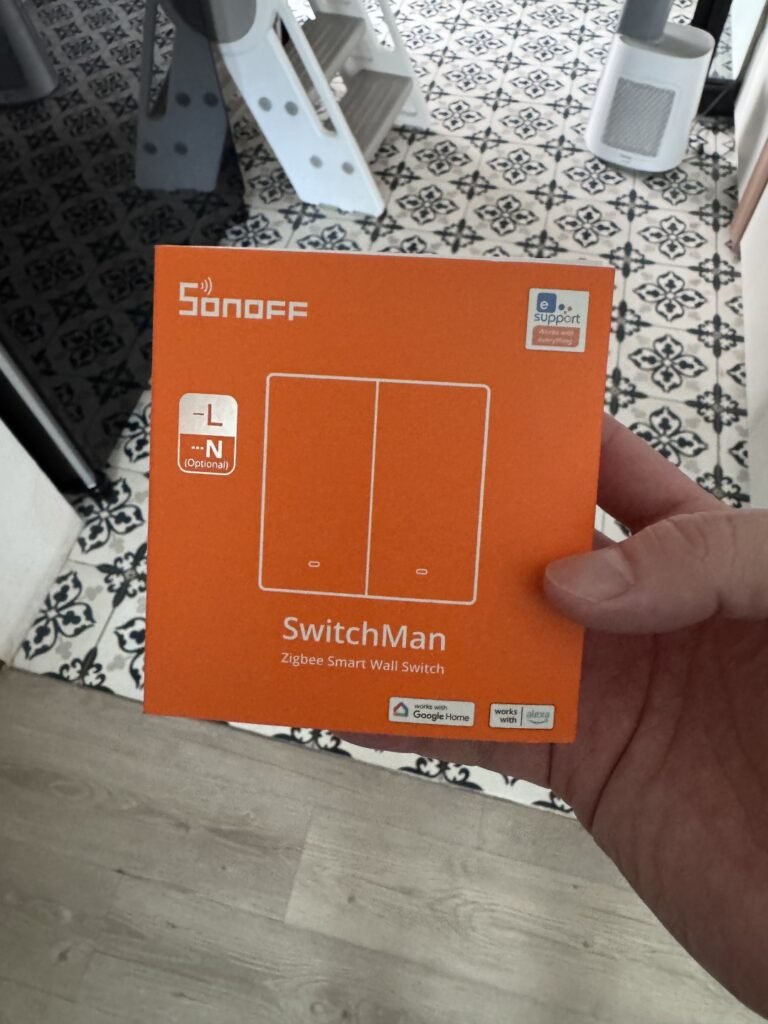
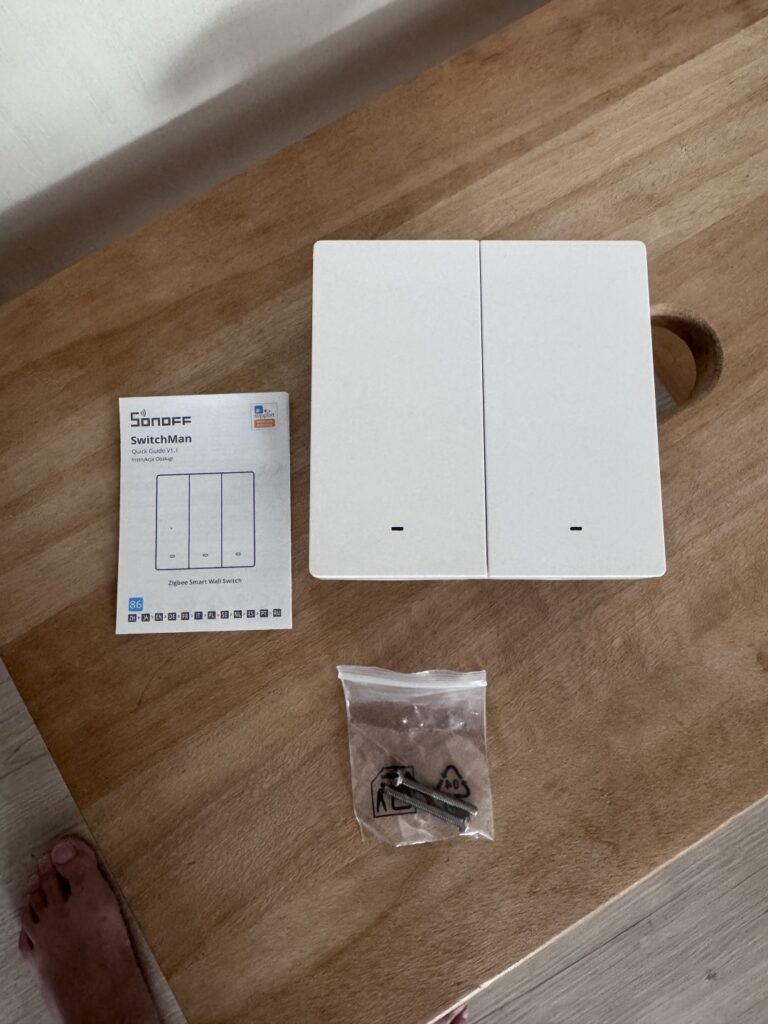
Sonoff SwitchMan vs Aqara H1 vs Moes: Which Smart Wall Switch in Singapore?
Before buying, I looked at the other no-neutral Zigbee wall switches you can actually buy in Singapore. Why “no-neutral” matters is explained further down, but the short version: older homes often have only a live wire in the switch box, so you need a switch that works without a neutral.
Some of these are affiliate links. If you buy through them, I may earn a small commission at no extra cost to you.
💰 Budget pick · ⭐ My pick
| ⭐ Sonoff SwitchMan ZBM5 (2-gang) | Aqara H1 No Neutral (Double) | 💰 Moes Zigbee 2-gang | |
|---|---|---|---|
| Normal price (Lazada, as of 23 Nov 2026) | S$37.00 | S$65.00 | S$45.00 |
| Sold by | Sonoff LazMall store | Aqara Singapore Official Store (LazMall) | Moes LazMall store |
| Neutral wire | Optional | Not needed | Optional |
| Protocol | Zigbee 3.0 | Zigbee 3.0 | Zigbee |
| Hub needed (non-HA users) | Sonoff Zigbee hub | Aqara hub | Tuya/Moes Zigbee gateway |
| Works with Home Assistant | Yes (ZHA / Zigbee2MQTT) | Yes (ZHA / Zigbee2MQTT) | Yes, with quirks |
| Where to buy | Switch: 🏬 Shopee Hub: 🏬 Lazada | Switch: 🏬 Lazada | 🏬 Shopee Hub: 🏬 Lazada | 🏬 Shopee | Switch: 🏬 Lazada | 🏬 Shopee Hub: 🏬 Lazada | 🏬 Shopee |
Prices and stock change often, especially around sales, so check the listing for the latest.
Aqara H1
Pros: The most polished brand of the three, a 2-year local warranty via the official store, and a big ecosystem if you’re already in the Aqara world.
Cons: At S$65, it’s nearly double the Sonoff’s listed price. For two switches, that adds up quickly.
Moes (Tuya)
Pros: Works with or without a neutral, and it’s often heavily discounted. When I checked, a LazFlash deal had the 2-gang down to S$23.19 from S$45.00. Its hub is also the cheapest of the three, so it’s the cheapest way in overall.
Cons: Reliability in Home Assistant is hit and miss. Some users on Zigbee2MQTT have reported quirks with the 2-gang versions, like one side toggling the other, or not being able to switch both on at the same time. Not something I wanted to debug at 11pm.
Why I Went With Sonoff
It sits in the sweet spot. It’s cheaper than Aqara, and with the 11.11 discounts it was cheaper than Moes too. It also has proper Zigbee2MQTT support, and I was already running a Sonoff Zigbee dongle at home.
I also considered an in-wall relay (like the Sonoff ZBMINI-L2) that hides behind the existing switch. But I’d need two for a 2-gang, and I doubt there’s enough space in the box for both.
Price
The SwitchMan ZBM5-2C-86W was listed at S$37.00 each on Sonoff’s LazMall store.
I bought it in the same 11.11 order as two Sonoff presence sensors (more on those in a separate post). After item discounts, store discount, Lazada discount, free shipping and coins, the whole order came to S$74.83, down from S$139.80.
Since the discounts were applied across the whole order, I can’t say exactly what each switch cost. Splitting the discount in proportion to each item’s price, it works out to roughly S$19.80 per switch. Not bad at all for a 2-gang smart switch.
Do You Need a Hub?
Yes. The SwitchMan is a Zigbee device, so it can’t connect to your Wi-Fi or phone on its own. What you need depends on your setup.
If you’re not on Home Assistant: you’ll need a Sonoff Zigbee hub. Compatible options include the NSPanel Pro, iHost and ZBBridge-P/U. You then control everything through the eWeLink app, including schedules, scenes and voice control via Google Home or Alexa.
If you’re on Home Assistant (like me): a Zigbee USB dongle is enough. I use the Sonoff ZBDongle-E with Zigbee2MQTT. ZHA works too.
The same applies to the alternatives: the Aqara needs an Aqara hub, and the Moes needs a Tuya/Moes Zigbee gateway. Budget for the hub if you don’t already have one.
The Cheapest Way In: Hub + One Switch
If you’re starting from zero, here’s the cheapest hub for each brand and what it costs to get your first 2-gang switch on the wall, at normal (non-sale) prices. Some of these are affiliate links. If you buy through them, I may earn a small commission at no extra cost to you.
💰 Cheapest way in · ⭐ My pick
Normal prices on Lazada as of 23 Nov 2026. With sales, you can do a lot better. When I checked, the ZBBridge-P was S$27.98 and the Moes gateway was S$23.90.
Why Sonoff over Moes? Moes is the cheapest way in, but only by S$6.86. For that small difference, I’d go Sonoff:
- Fewer headaches. Some Moes 2-gang owners on Zigbee2MQTT have reported one side toggling the other, or not being able to turn both on at the same time. Light switches are the one thing in the house that has to just work.
- Proper Zigbee2MQTT support. The SwitchMan is fully supported, including settings like what it does after a power cut, so it behaves predictably whether you’re on eWeLink now or move to Home Assistant later.
- The hub keeps working offline. Sonoff says the ZBBridge-P runs schedules and Zigbee device linkages locally, even without an internet connection.
Already on Home Assistant? You don’t need any of these hubs. A single Zigbee USB dongle like the Sonoff ZBDongle-E works with all three brands through Zigbee2MQTT or ZHA, so you’re not locked into one ecosystem.
The No-Neutral Thing (Why This Fit My Old Wiring)
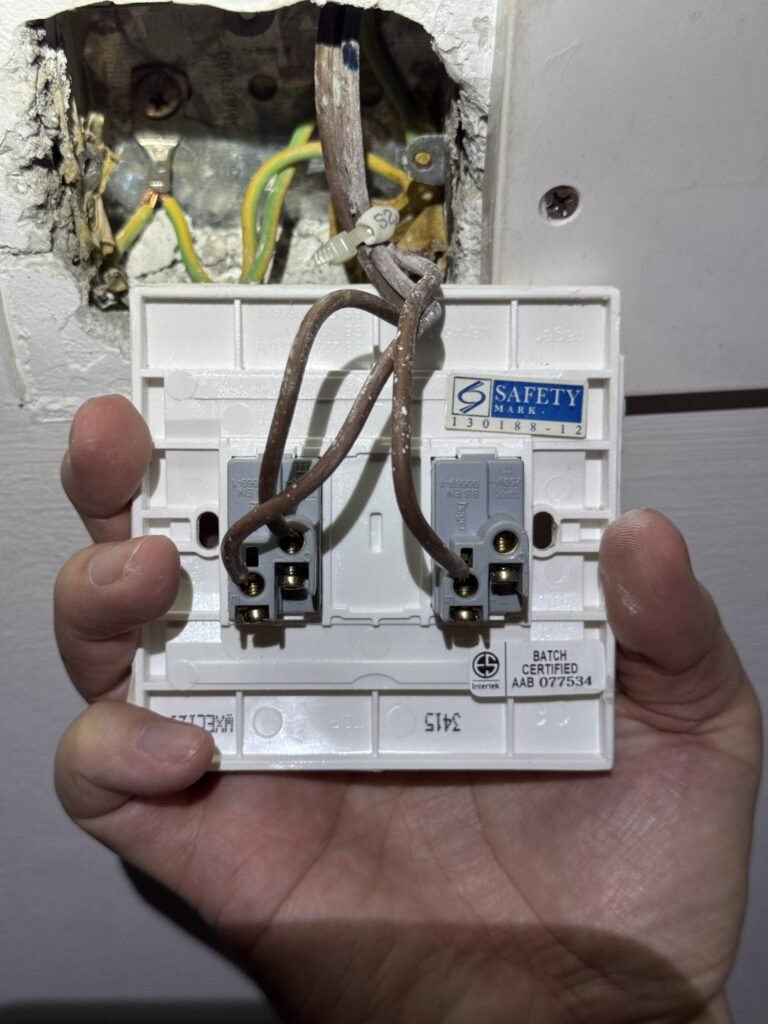
When I pulled out the old Hager switch, the box had only brown live wires, no blue neutral. That’s common in older Singapore homes, and it rules out a lot of smart switches.
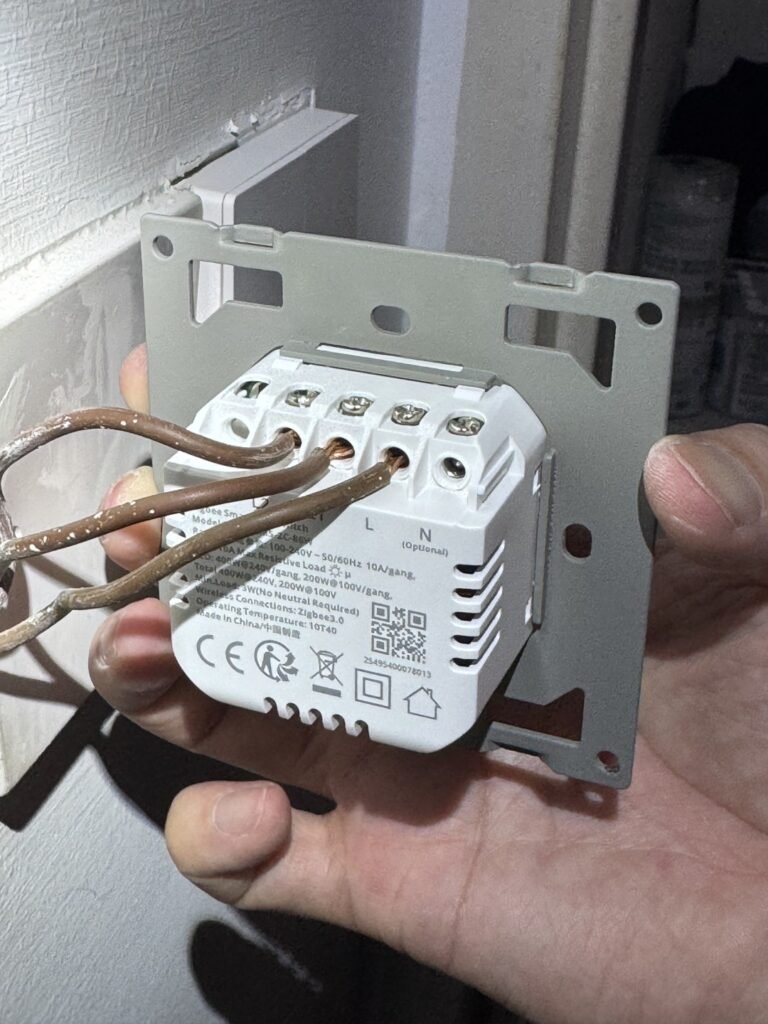
The SwitchMan has four terminals at the back: L2, L1, L and N (optional). I connected the three live wires to L, L1 and L2 and left N empty. That’s it.
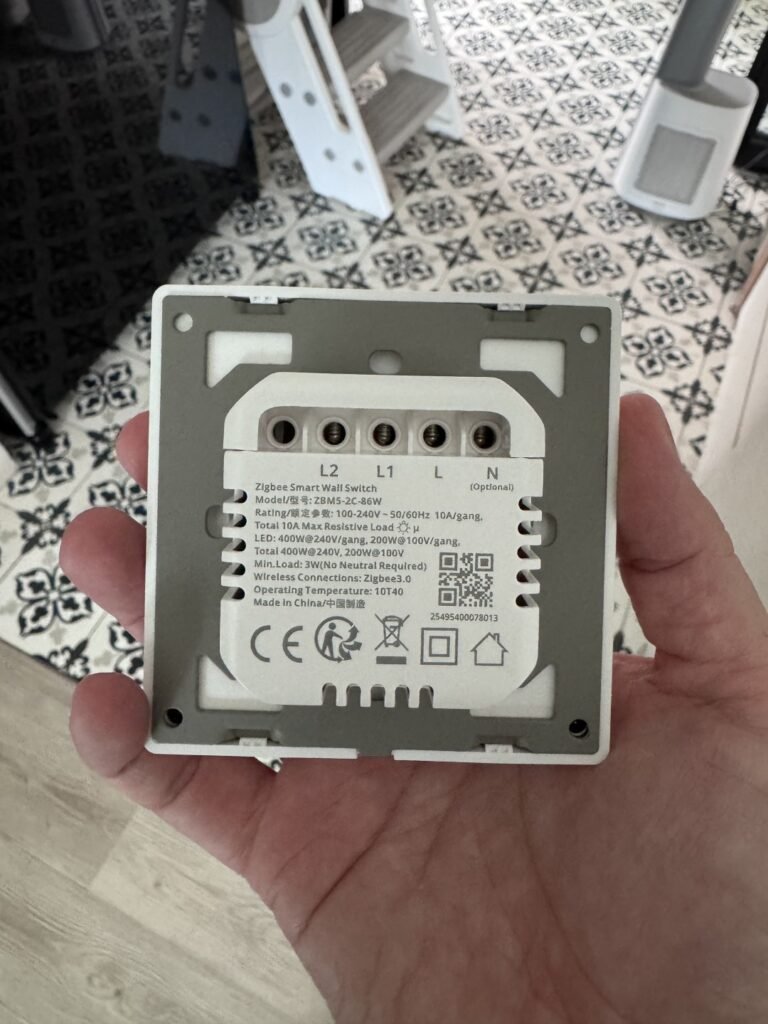
I’ve had no flicker or buzz with my lights, thank god.
Neutral vs No-Neutral Smart Switches: Pros and Cons
This applies to smart wall switches in general, not just the Sonoff. A smart switch needs a little power for itself, even when the light is off, so it can stay connected. With a neutral wire, it gets that power directly. Without one, it has to sip a trickle of current through your light fitting instead. That’s where the trade-offs come from.
With neutral
- ✅ Stable power, so it works with any bulb, even very low-wattage LEDs
- ✅ No faint glow or flicker when the lights are off
- ✅ Usually acts as a Zigbee router, so it strengthens your Zigbee network
- ✅ More models to choose from
- ❌ Older homes often don’t have a neutral in the switch box. Adding one means rewiring, which means an electrician.
Without neutral
- ✅ Drops straight into older wiring, with no rewiring
- ❌ Needs a minimum load (3W for the SwitchMan). Below that, LED bulbs may glow faintly or flicker when off.
- ❌ Usually doesn’t act as a Zigbee router, so it won’t extend your network
- ❌ Fewer models to choose from
The SwitchMan supports both modes and picks the right one based on how it’s wired. In no-neutral mode, it works as an end device, not a router. One reviewer found that 2W bulbs still glowed faintly when switched off, while 3W and 4W bulbs turned off completely.
If you have a neutral, use it. If you don’t, a no-neutral switch is far cheaper and less messy than rewiring. Just check your bulbs are at least 3W.
Why Zigbee and Not Wi-Fi?
Wi-Fi smart switches exist too, including Sonoff’s own SwitchMan M5 Matter. They connect straight to your router, so no hub is needed. So why did I go Zigbee?
- No-neutral support. Wi-Fi chips need more power than a no-neutral switch can sip through the light fitting, so most Wi-Fi switches need a neutral wire. Zigbee is low power, which is why most no-neutral options are Zigbee.
- It keeps working when the internet goes down. Zigbee runs as its own local network between your switches, buttons and hub. If your internet dies, there’s really no impact on the Zigbee network. My switches, the bedside button and Home Assistant automations all keep running, because none of them go through the cloud. Many Wi-Fi switches rely on the manufacturer’s cloud for app control, so no internet means no app.
- It doesn’t clog up your Wi-Fi. Every Wi-Fi switch is another device on your router. A house full of them adds up quickly. Zigbee devices sit on their own network.
- The network gets stronger as you add devices. Mains-powered Zigbee devices with a neutral can act as routers and extend the range for everything else.
The trade-off is the hub or dongle you need upfront. If you only ever plan to have one or two smart switches and you do have a neutral, Wi-Fi can be the cheaper way in.
For eWeLink users: with a Sonoff hub, the physical switches and local scenes keep working without internet, but controlling things from the app while you’re away from home still needs the internet.
Installation Process
Disclaimer: This is not a tutorial. I’m sharing what I did, not telling you to do it. I don’t recommend doing this on your own. Engage a licensed electrician instead. If you do decide to YOLO it, I’m not responsible for whatever happens to you, your wiring or your home.
It took me about 20 minutes per switch. Tools: a screwdriver (for prying open and for screws) and a vacuum cleaner, because old plaster crumbles everywhere.
Here’s roughly what I did:
- Switched off the MCB to break the circuit.
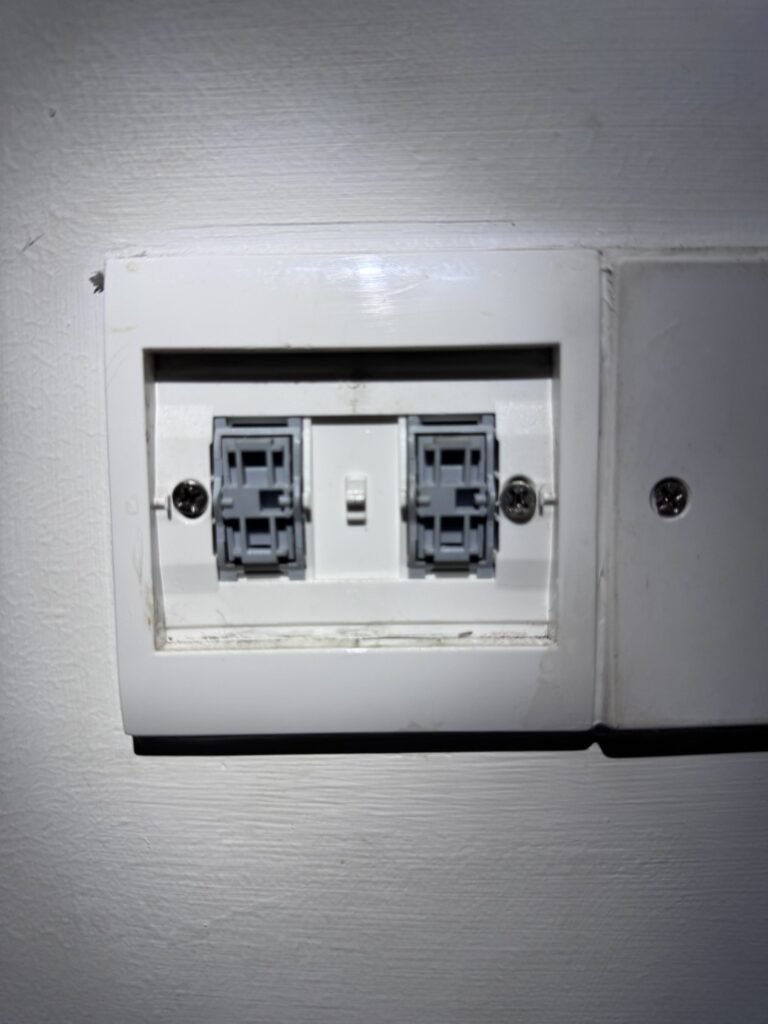
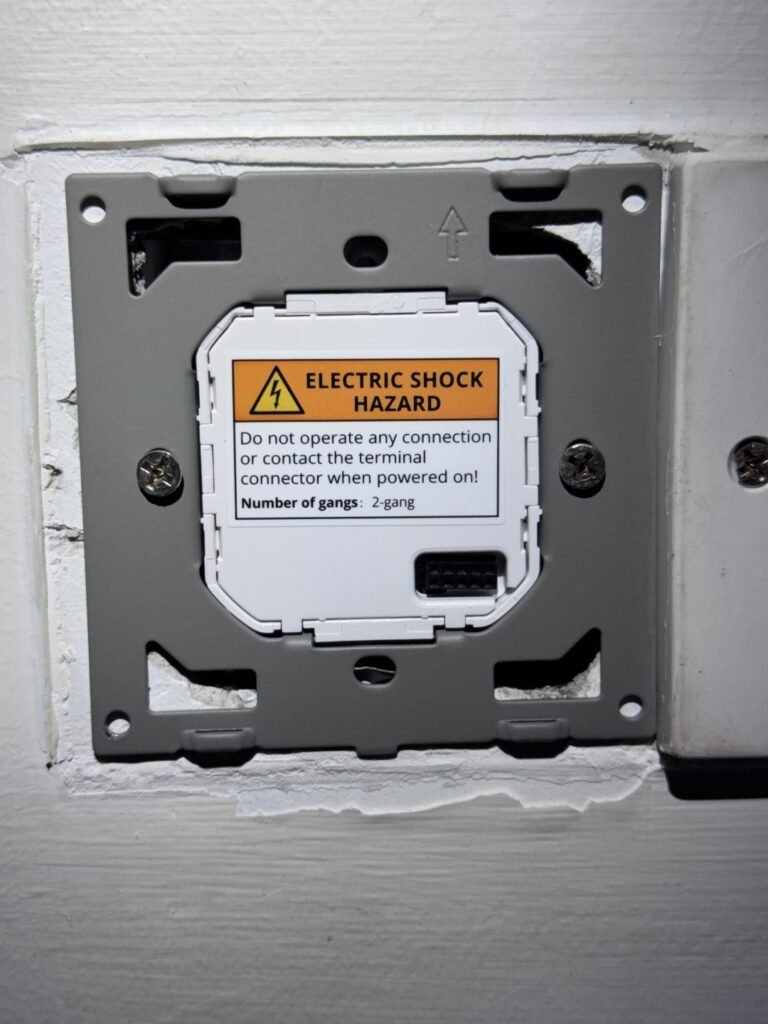
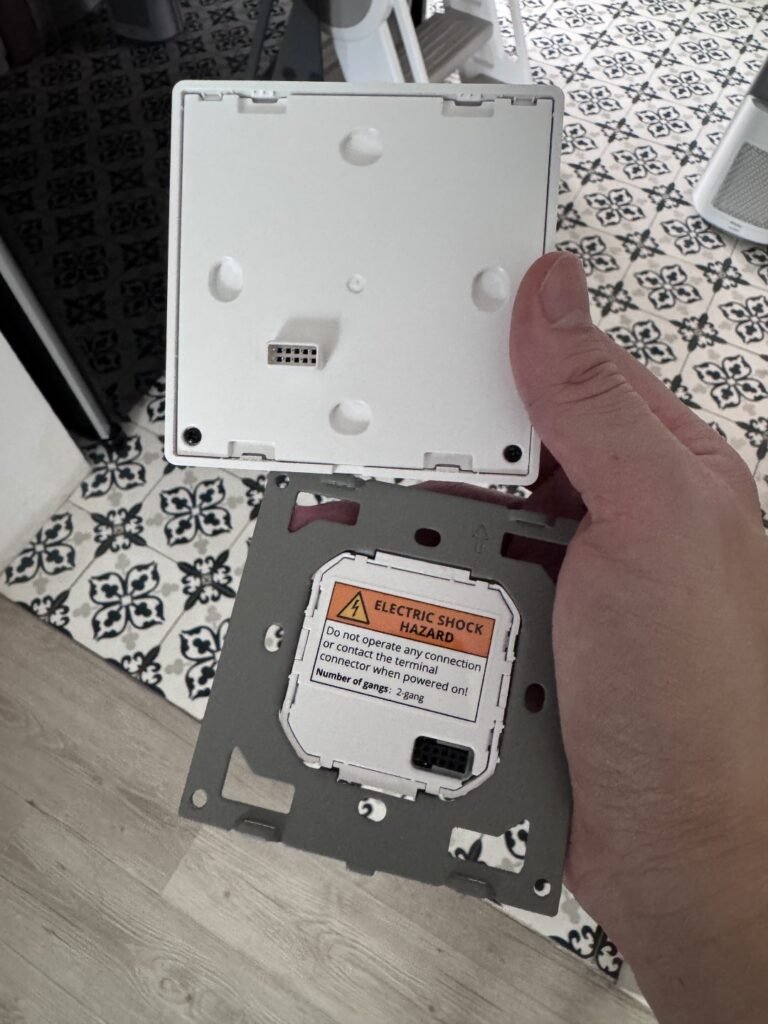
- Pried off the old Hager switch cover and unscrewed the plate from the wall box.
- Moved the wires over to the SwitchMan: the incoming live to L, and each switched wire to L1 and L2.
- Screwed the SwitchMan’s metal mounting plate to the box, then clipped the switch face on.
- Switched the MCB back on and paired the switch in Zigbee2MQTT.
- Vacuumed up the mess.
Fit and Finish
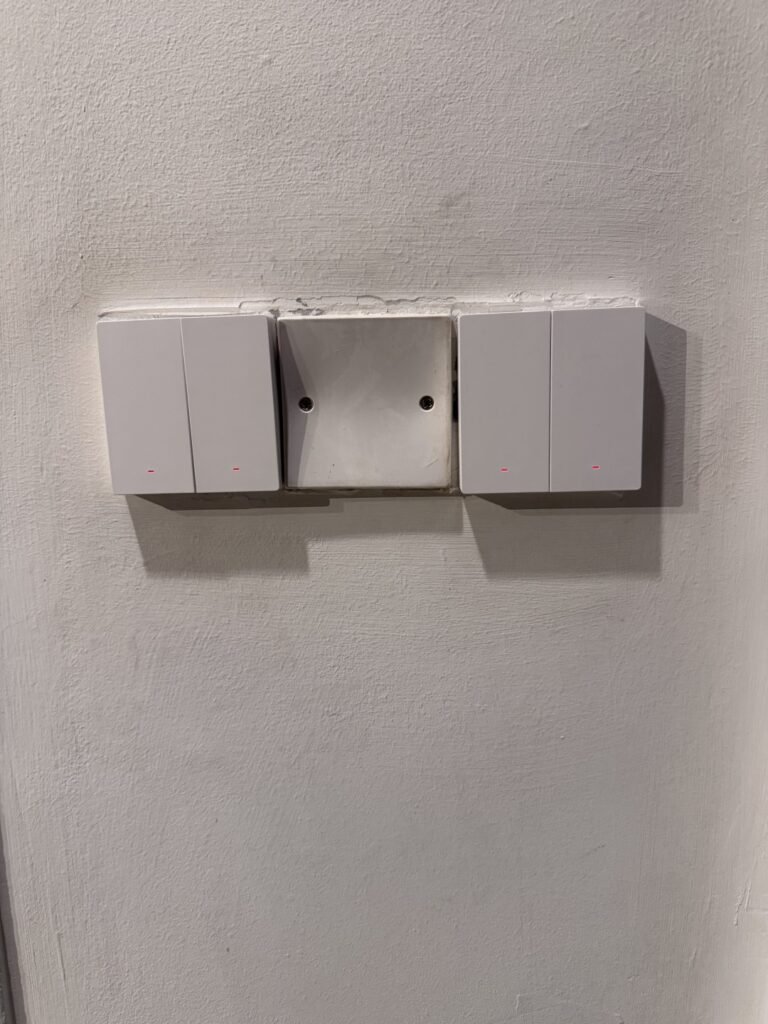
The plate fits the existing box, but it’s a lot thicker than the Hager it replaced. Side by side, the Sonoff clearly sticks out further from the wall. The edges of my old wall box were also chipped from the original renovation, and there’s a small gap visible around the new plate.
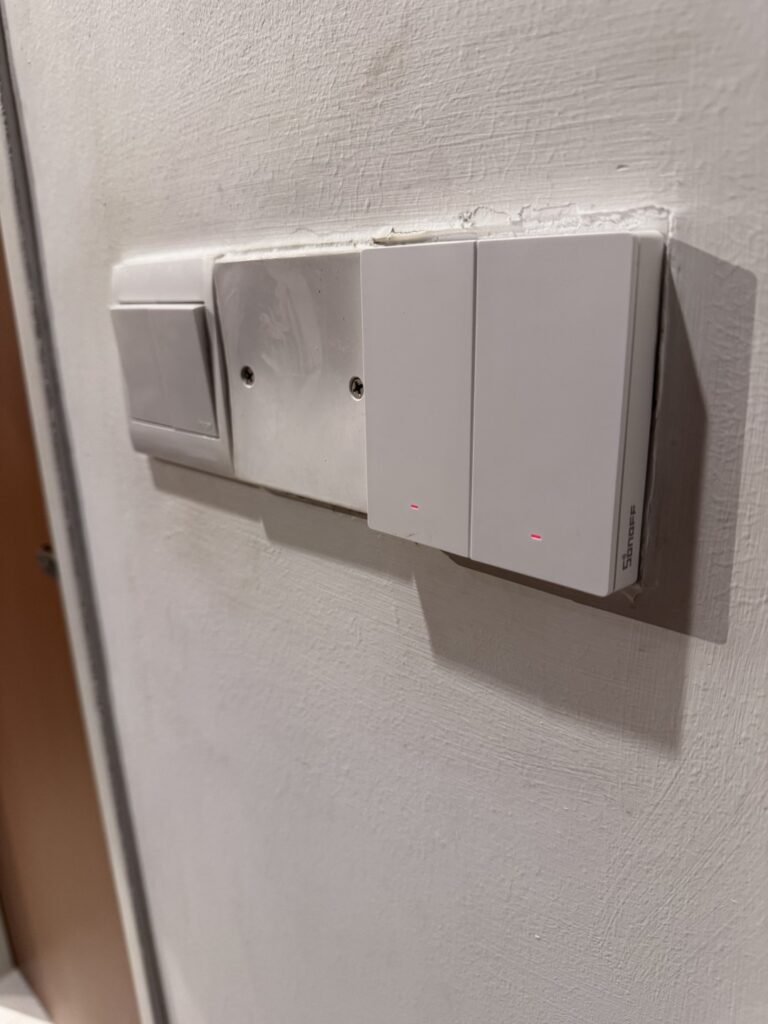
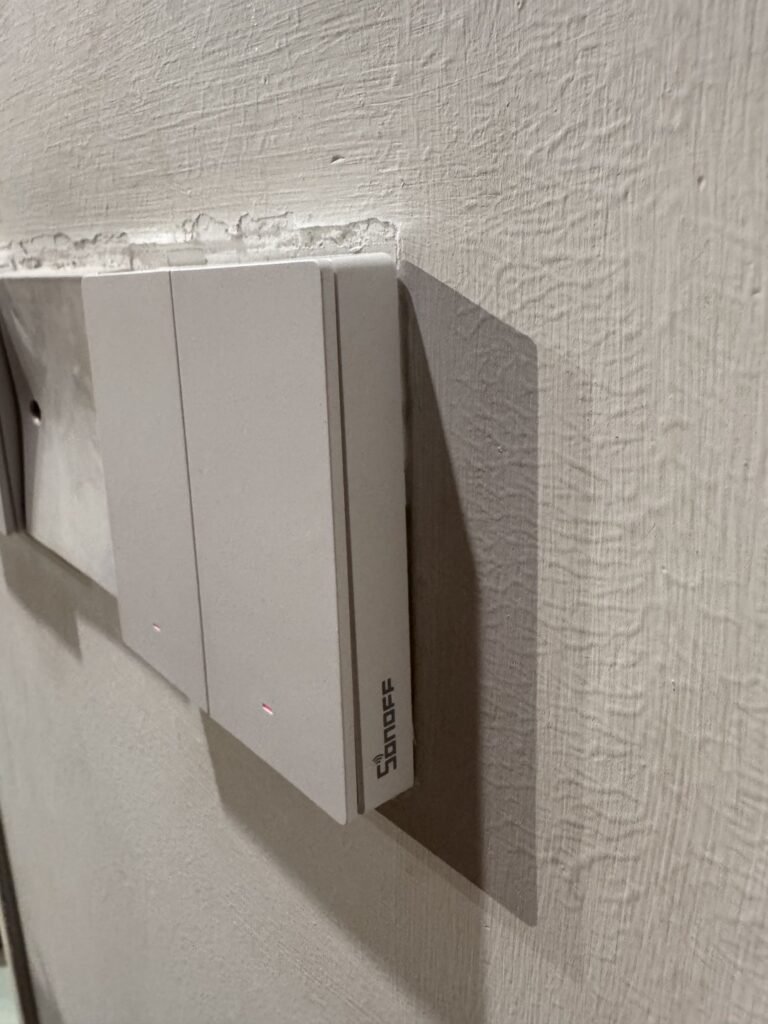
On the plus side, there’s a subtle red LED on each gang that you can see in the dark.
The Bedside Button
For the button, I went with the Aqara Wireless Remote Switch D1. It’s a battery-powered Zigbee switch, around S$40 in Singapore, that you can stick anywhere. Mine is stuck to the cupboard next to the bed. No wiring at all.
Mixing brands is no problem here, because Home Assistant with Zigbee2MQTT doesn’t care whose logo is on the device. If you’re not on Home Assistant, stick to one brand. Aqara buttons are made for Aqara hubs, so if you’re using a Sonoff hub with eWeLink, get a Sonoff Zigbee button instead.
It’s a double rocker, so I gave each room its own side in Home Assistant:
- One side: a single click switches all the master bedroom lights (the downlight and the track light) on, or all of them off
- The other side: a single click switches all the toilet lights (the ceiling light and the LED strip) on, or all of them off
So the toilet light someone forgot about is now one click away, without touching the bedroom lights.
Automations and Scenes
Apart from the button, I added both switches to a “Leaving Home” scene. One command switches off every light and air purifier in the house. No more wondering if we left the toilet light on.
What Happens When Things Go Wrong?
Two things I tested, because a smart switch that breaks the basic job of a switch is worse than useless.
When the smart home server is down: After setting everything up in Home Assistant, I rebooted my server. While it was down, the physical switches still turned the lights on and off as normal. The bedside button and the HA app didn’t work until the server came back, which makes sense since they go through Home Assistant. The good news: if your server ever dies, your lights still work like normal switches.
After a power cut: Each switch goes back to whatever state it was in before the power went out. No surprise lights blazing at 3am.
The Verdict: Is the Sonoff SwitchMan Worth It?
For our use case, absolutely. It fixed a decade-old annoyance without new cables, trunking or an electrician’s bill. It also worked with our old no-neutral wiring straight out of the box.
The missus has approved. In my house, that’s the only review score that matters.
Pros
- Works with or without a neutral wire
- Physical switches still work when your smart home server is down
- Remembers its state after a power cut
- Cheaper than Aqara, with solid Zigbee2MQTT support
- Quick to install, about 20 minutes per switch for me
Cons
- Needs a hub or Zigbee dongle, which is an extra cost if you don’t have one
- Thicker than a regular switch, so it sticks out from the wall
- In no-neutral mode it doesn’t extend your Zigbee network
- Very low-wattage bulbs (under 3W) may glow faintly when off
My recommendation:
- If you’re already on Home Assistant with a Zigbee dongle: easy buy, especially during a sale.
- If you’re not on Home Assistant: factor in the price of a Sonoff Zigbee hub before comparing it with other options.
- If you have no neutral wire: this is one of the few switches that handles it properly.
- Whatever you do: get a licensed electrician to install it.
Would I buy it again? Yes.